
Spreadsheet vs. Budgeting App: Choosing the Right Tracking Method

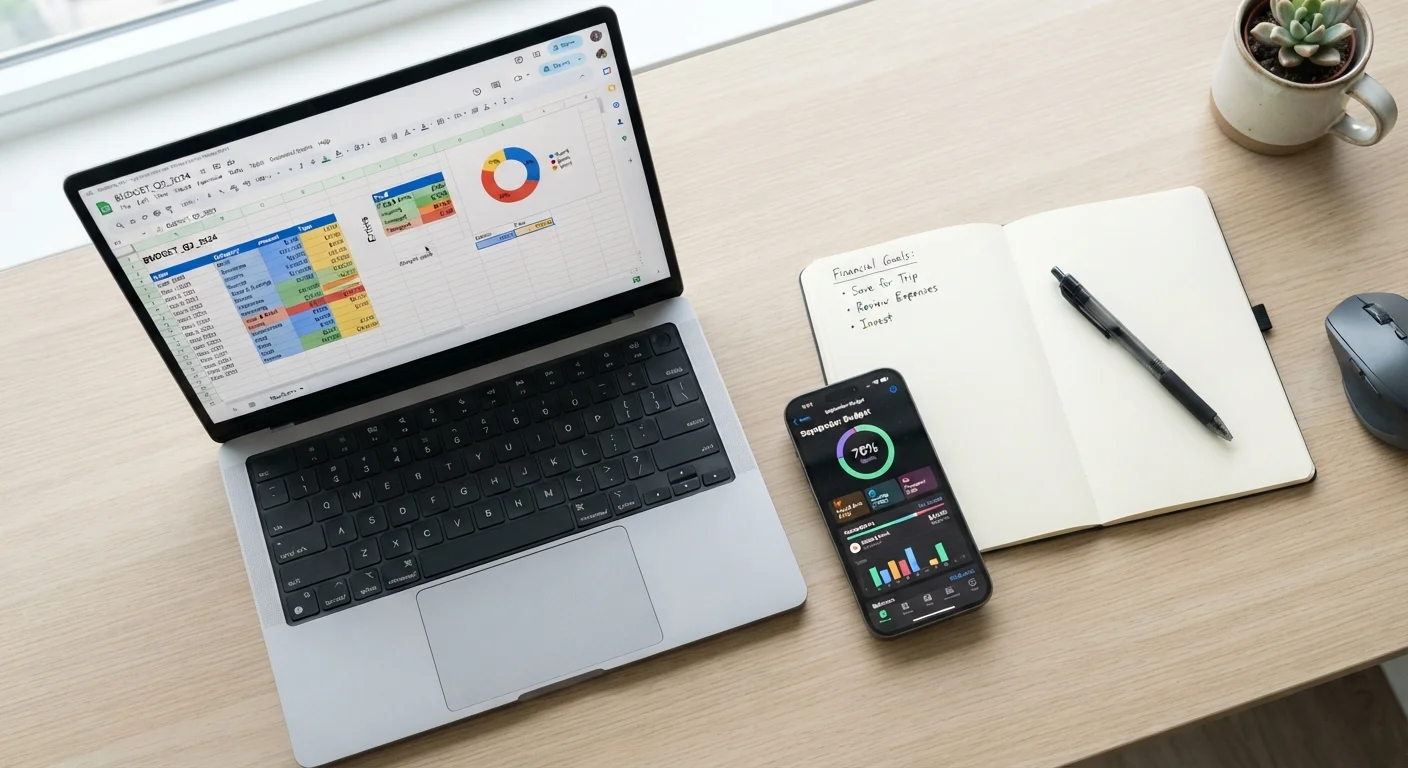
Photo: NemoFinds.com | Search, Explore, Read. editorial
Key Takeaways
- Spreadsheets offer maximum flexibility and zero subscription cost, but require manual upkeep.
- Budgeting apps automate transaction syncing and provide instant visual feedback on your spending.
- Neither method is universally superior — the right choice depends on your habits, tech comfort, and financial complexity.
- Many people find a hybrid approach — using both tools for different purposes — works well long-term.
- Consistency matters more than the tool itself; the best tracking method is the one you'll actually use.
What Each Approach Actually Does
A spreadsheet — whether built in Google Sheets, Microsoft Excel, or a similar tool — is a blank canvas. You define every category, formula, and layout. You enter transactions manually or import bank data yourself. The result is a budget that looks and works exactly the way you design it.
A budgeting app (a category that includes dedicated personal finance software) typically connects to your bank accounts and credit cards via read-only data links, automatically categorizing transactions as they occur. Most apps offer pre-built dashboards, spending summaries, and goal-tracking features out of the box.
Both approaches serve the same core purpose: helping you see where your money goes so you can make intentional decisions about where it should go. The divergence is in process, not outcome. For a broader foundation on budgeting methods, see the complete personal budgeting guide.
Spreadsheets: Strengths and Limitations
The primary strength of a spreadsheet is total control. You can build row-level detail for every subscription, model scenarios ("what if I cut dining out by $100?"), and structure data exactly as your financial life demands. There's no subscription fee for a basic setup, and your data lives wherever you store the file.
Spreadsheets also shine for people with irregular income. Because every cell is editable, you can restructure your budget month-to-month without fighting a rigid template — a major advantage for freelancers and hourly workers. See our guide on budgeting with irregular income for strategies that pair well with a flexible spreadsheet format.
The limitation is maintenance. Manual data entry introduces both friction and the risk of errors. If you skip entering transactions for two weeks, your budget becomes unreliable. Spreadsheets also require some comfort with formulas and layout design — a barrier for less tech-savvy users.
Start With a Free Template
Budgeting Apps: Strengths and Limitations
Apps reduce the daily effort of budget tracking dramatically. Once connected to your financial accounts, they pull in transactions automatically, sort them into categories, and flag when you're approaching a spending limit. For people who struggle with consistency, removing manual steps can be the difference between maintaining a budget and abandoning one.
Visual reporting is another advantage. Charts showing month-over-month trends or category breakdowns make it easier to spot patterns — like the overlooked recurring expenses that quietly erode savings. Our article on spending categories most budgets miss highlights costs that automated categorization can help surface.
The trade-offs are real, however. Many capable apps carry monthly or annual subscription fees. Connecting bank accounts requires trusting a third-party service with read access to your financial data — a privacy consideration worth weighing carefully. And automatic categorization isn't perfect; transactions are frequently miscategorized and need manual correction anyway.
Review App Data Permissions Carefully
Comparing the Two Methods Directly
The table below lays out how spreadsheets and budgeting apps compare across the criteria that matter most for everyday users.
| Criterion | Spreadsheet | Budgeting App | |
|---|---|---|---|
| Setup effort | High — build from scratch or template | Low — guided onboarding | |
| Ongoing maintenance | Manual entry required | Mostly automated syncing | |
| Customization | Unlimited — full user control | Limited to app's structure | |
| Cost | Free or low one-time cost | Often subscription-based | |
| Data privacy | Data stays local or in your cloud | Third-party access to accounts | |
| Learning curve | Moderate — requires formula knowledge | Low — designed for general users | |
| Best for irregular income | Strong — easy to restructure | Mixed — templates can be rigid |
It's worth noting that these categories aren't absolute. A well-maintained spreadsheet used daily can outperform a neglected app, and vice versa. The honest trade-offs of strict budgeting apply equally to both methods — discipline and time investment are required regardless of the tool.
How to Decide — and What Else to Consider
Ask yourself two questions: How much time am I willing to spend on budget maintenance each week? And: How much do I value customization versus convenience?
If you genuinely enjoy working with data and want a budget tailored to your exact situation, a spreadsheet is likely the better fit. If you want something that runs largely in the background and nudges you when spending drifts, an app makes more sense.
Some people use both: an app for day-to-day transaction awareness and a spreadsheet for monthly planning, projections, or debt payoff tracking. You might also compare the envelope method as an alternative framework — our piece on cash envelopes vs. digital envelope apps explores how that approach fits into modern financial habits.
Whatever method you choose, the goal is the same: a clear, honest picture of your cash flow that you revisit regularly. Building savings and managing debt — covered in depth on our Saving & Debt hub — becomes significantly more achievable when you have reliable tracking in place.
This article is for general informational and educational purposes only and does not constitute personalized financial advice. Please consult a qualified financial professional for guidance specific to your circumstances.
The content on this site is for informational purposes only and is not a substitute for professional advice. Always consult a qualified professional for guidance specific to your situation.