
Refresh Rate vs. Response Time: Two Numbers That Get Mixed Up

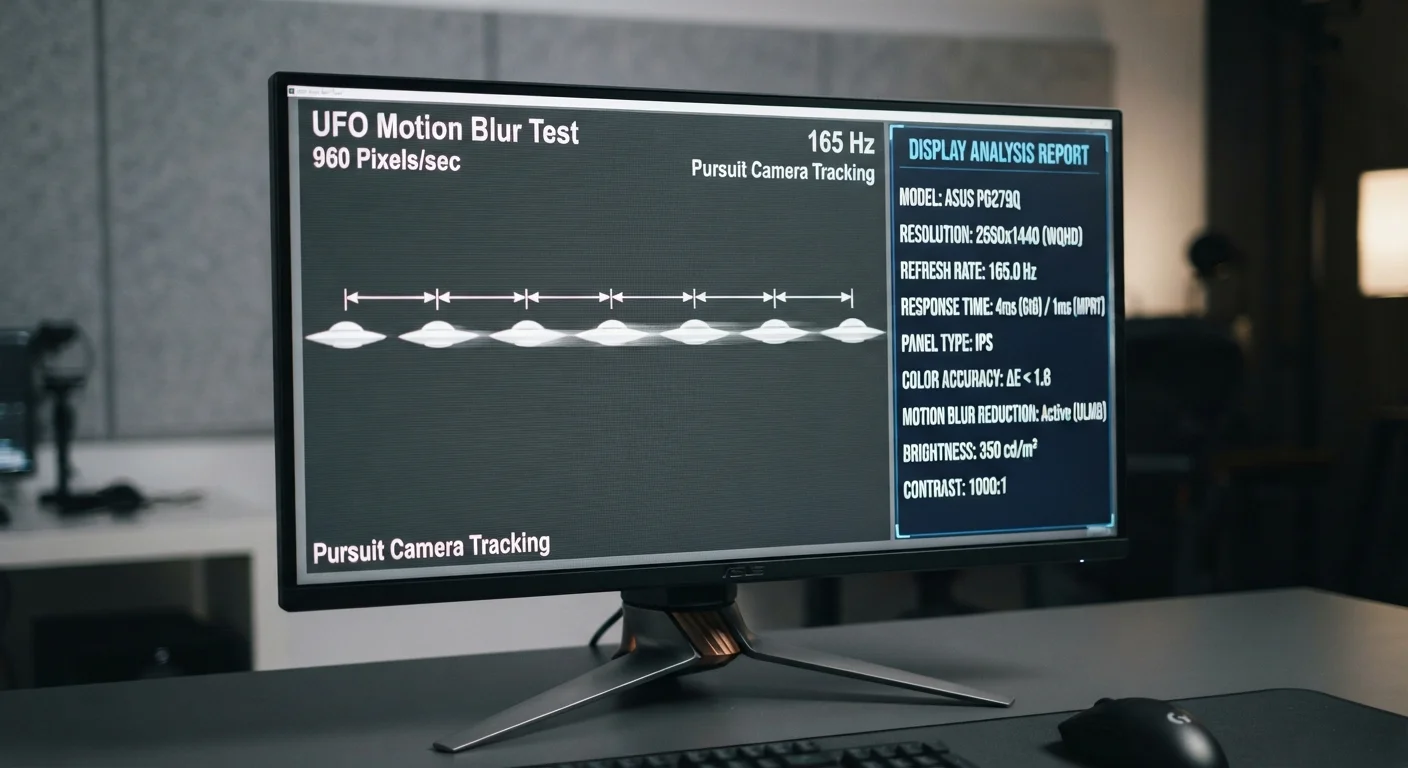
Photo: NemoFinds.com | Search, Explore, Read. editorial
Key Takeaways
- Refresh rate (measured in Hz) controls how many frames per second a display can show.
- Response time (measured in milliseconds) controls how fast individual pixels switch colors.
- Higher refresh rate means smoother motion; lower response time means less ghosting.
- For everyday tasks like browsing or streaming, standard 60 Hz with moderate response time is adequate.
- Competitive gaming benefits most from combining a high refresh rate with a low response time.
- These two specs work together — optimizing only one without the other may not deliver the experience you expect.
What Each Spec Actually Measures
When display specs list a number in Hz and another in ms, they're describing two fundamentally different behaviors of the same screen.
Refresh rate is how many times per second the entire display redraws itself. A 60 Hz monitor refreshes 60 times every second; a 120 Hz monitor does it twice as often. More refreshes per second means motion — whether a scrolling webpage, a panning video shot, or a moving game character — appears smoother and more fluid to the human eye.
Response time measures how quickly a single pixel can transition between colors. The standard test is gray-to-gray (GTG), meaning how many milliseconds (ms) it takes a pixel to shift from one shade of gray to another. A pixel that transitions slowly will appear to smear across frames — an artifact called ghosting or motion blur.
The confusion is understandable: both specs relate to motion on screen. But refresh rate governs the rhythm of the whole picture, while response time governs the speed of each individual dot. You need both working in your favor to get a truly sharp, smooth display experience.
| Criterion | Refresh Rate | Response Time |
|---|---|---|
| Unit of measurement | Hertz (Hz) | Milliseconds (ms) |
| What it controls | Frames redrawn per second | Speed of pixel color change |
| Higher = better? | Yes — smoother motion | No — lower ms is better |
| Common range | 60 Hz – 360 Hz | 1 ms – 16 ms |
| Main artifact if poor | Choppy, stuttering motion | Ghosting / motion blur |
| Most relevant for | Gaming, scrolling, video | Fast-paced gaming, sharp edges |
When One Matters More Than the Other
For most everyday use — email, streaming, word processing — a 60 Hz display with a response time under 10 ms is entirely adequate. Human vision generally perceives motion more fluidly above 60 fps, but the gains become noticeable primarily in specific contexts.
Where refresh rate dominates: Anything with continuous on-screen movement benefits from a higher refresh rate. Scrolling long documents feels noticeably smoother at 120 Hz than at 60 Hz, even if no game is involved. This is why many modern smartphones now offer 90 Hz or 120 Hz panels — the difference is perceptible in daily use.
Where response time dominates: If you see a blurry halo or trail behind a fast-moving cursor or game object, that's ghosting caused by slow pixel response. Reducing response time from 10 ms to 1 ms can eliminate it almost entirely. However, some displays achieve very low response times using overdrive — a technique that pushes pixels harder — which can itself create a different artifact called inverse ghosting (a bright halo ahead of moving objects) if set too aggressively.
Overdrive Settings Can Backfire
Understanding how panels themselves differ — LCD, OLED, and others — also affects both specs in practice. Our plain-language screen technology comparison explains how each technology handles motion differently.
Reading Spec Sheets Without Getting Misled
Display manufacturers don't always measure or disclose response time using the same method. Some report a more favorable best-case number (such as a single dark-to-light transition) rather than the gray-to-gray average across all pixel transitions. This makes it difficult to compare two displays by their advertised ms figure alone.
A few practical guidelines when reading specs:
- Refresh rate is consistent — 144 Hz means 144 Hz. No ambiguity.
- Response time is variable — ask whether the quoted figure is GTG, MPRT (moving picture response time), or something else. MPRT and GTG measure different things and are not interchangeable.
- Consider the panel type — IPS panels typically have response times in the 4–10 ms range; TN panels can reach 1 ms; OLED panels can achieve sub-millisecond response. Each has trade-offs in color, viewing angle, and cost.
For a deeper dive into what else appears on a spec sheet, see our screen resolution explainer — resolution, refresh rate, and response time together tell the full performance story of a display.
1 ms
Typical minimum GTG response time on gaming monitors
Top-tier gaming monitors commonly advertise 1 ms GTG response times, though real-world average pixel transitions are often slightly higher depending on content.
144 Hz
Common threshold for smooth gaming performance
144 Hz has become a widely cited baseline for competitive gaming displays, offering roughly twice the frame delivery of a standard 60 Hz panel.
The content on this site is for informational purposes only and is not a substitute for professional advice. Always consult a qualified professional for guidance specific to your situation.