
Why That Cable Stopped Working (And What to Look For Next Time)

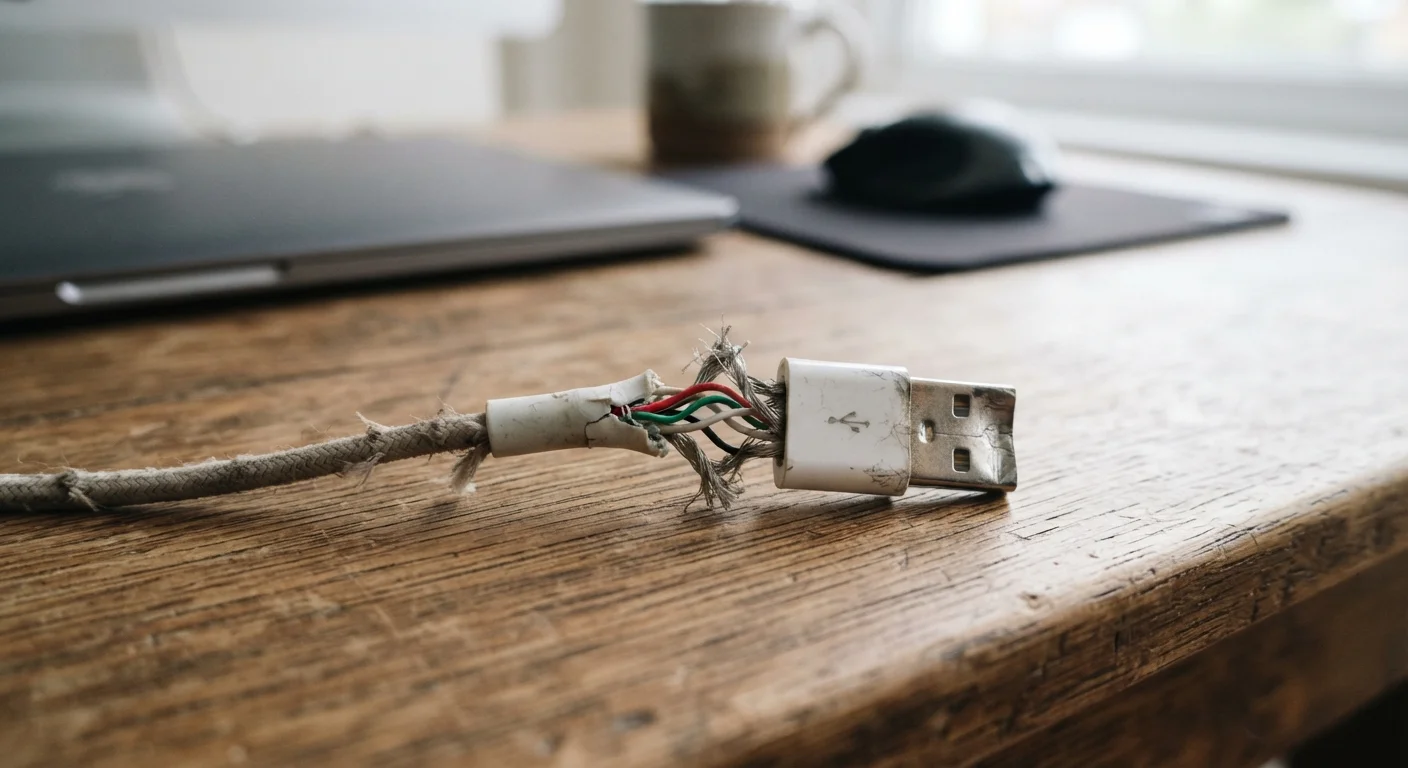
Photo: NemoFinds.com | Search, Explore, Read. editorial
Key Takeaways
- Most cable failures trace back to a handful of predictable physical and electrical stresses.
- The bend point near the connector is the most common failure zone in any cable.
- Connector shape and material quality are the two biggest indicators of cable longevity.
- How you store and route cables matters as much as which cable you buy.
- A cable that charges slowly or intermittently is already failing — not just 'being finicky'.
How Cables Actually Break
Cables feel like passive components — just a wire in a sleeve — but they endure a surprising amount of mechanical stress in daily use. Most failures happen in one of three places: the connector-to-cable junction, the middle of the cord (usually from being pinched), or the connector pins themselves from debris or misaligned insertion.
The junction failure is by far the most common. Every time you bend or flex a cable near its connector, you're stressing the same small section of internal copper wiring repeatedly. Copper is ductile, meaning it bends rather than snaps immediately, but repeated micro-bending eventually causes the individual wire strands to break. The outer insulation may still look fine while the wire inside is compromised — which is why intermittent behavior often precedes total failure.
Understanding this helps explain why cable behavior changes before it stops working entirely. For a broader look at how ports and connectors interact, see our guide to ports and connectors.
~70%
Cable failures at the connector junction
Industry repair data consistently shows that the vast majority of cable failures originate within a few centimeters of the connector end, not along the cable body.
2–3x
Lifespan increase with proper coiling
Testing by electronics durability researchers suggests that cables stored in loose loops rather than tight coils can last significantly longer before insulation fatigue sets in.
The Mistakes That Shorten Cable Life
Most cable failures aren't random — they follow directly from habits that put preventable stress on the cable. The mistakes below are the most common culprits.
Wrapping cables too tightly for storage.
Yanking a cable out by the cord rather than the connector body.
Letting cables run under furniture legs, rugs, or through pinch points.
Ignoring early warning signs like intermittent charging or flickering connections.
Assuming all cables rated for the same standard perform equally.
If you're trying to extend the useful life of your broader device ecosystem, not just cables, these habits for keeping electronics longer apply the same logic to phones, laptops, and more.
What to Look For When a Cable Fails
When a cable stops working, resist the impulse to immediately replace it with the nearest available option. A few minutes of observation will tell you a lot about what went wrong and what to prioritize in a replacement.
- Check the strain relief: If the cable is visibly bent, kinked, or creased right where it meets the connector, that junction failure is almost certainly your culprit.
- Inspect the connector pins: Bent or corroded pins — often from inserting the cable at an angle or storing it loose in a bag — can cause unreliable connections that mimic software or port problems.
- Test the port separately: Plug in a known-working cable. If the issue disappears, the cable was the problem. If it doesn't, the port may need attention.
- Look for insulation damage: Discoloration, stiffening, or cracking along the cable body — especially near a pinch point — indicates physical damage that won't self-correct.
Damaged Charging Cables Are a Safety Issue
Some cable failures, particularly with charging cables, show up first as heat rather than connection issues. A cable that feels noticeably warm during normal use — not just at the brick, but along the wire itself — may have compromised insulation or internal resistance. Stop using it.
For context on when wired connections are worth the extra cable-management effort versus going wireless, this breakdown of wired vs. wireless trade-offs covers the practical differences plainly.
The content on this site is for informational purposes only and is not a substitute for professional advice. Always consult a qualified professional for guidance specific to your situation.