
Keeping a Home Maintenance Log (And Why It Pays Off)

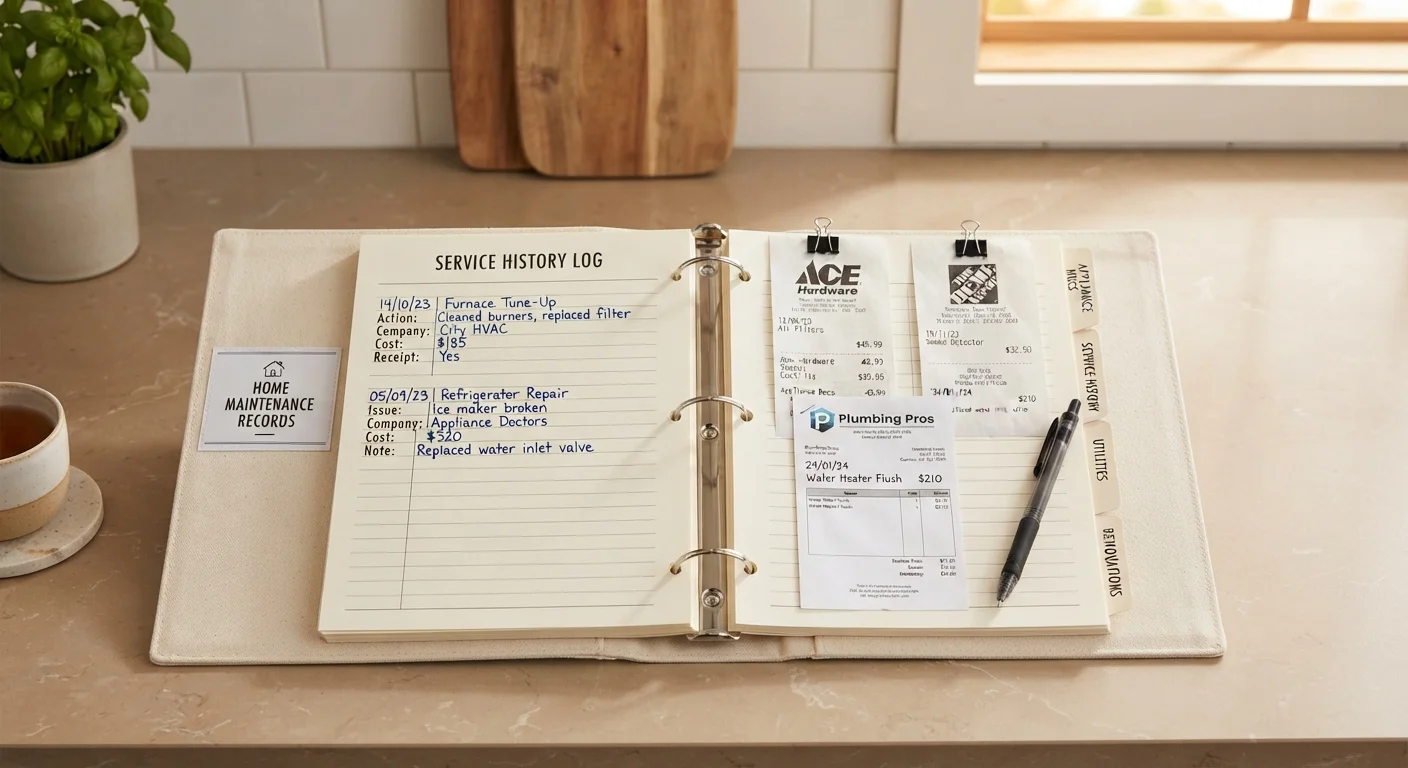
Photo: NemoFinds.com | Search, Explore, Read. editorial
Key Takeaways
- A home maintenance log strengthens warranty claims and helps diagnose repeat problems faster.
- Recording dates, costs, and contractor details protects you during disputes and insurance claims.
- A simple spreadsheet or notebook works — consistency matters more than the format you choose.
- Logs support home resale value by demonstrating a well-maintained property to buyers.
- Pairing your log with a seasonal checklist ensures nothing gets overlooked year to year.
Why Most Homeowners Skip This — and What It Costs Them
Home maintenance logging isn't glamorous, and it's easy to deprioritize when nothing seems broken. But the absence of records has real financial consequences. Without documentation, warranty claims are harder to enforce, insurance adjusters have less to work with after a loss, and prospective buyers have no evidence your home was cared for — which can affect offers and negotiations.
The hidden costs of owning a large appliance extend well beyond the purchase price, and maintenance neglect is one of the biggest contributors to those surprise bills. Similarly, the pattern of compounding costs from skipped upkeep is well-documented — the same dynamic covered in our look at what goes wrong when routine maintenance is skipped. A home log interrupts that cycle by making it easy to see what's been done and what's overdue.
Buyers and real estate agents routinely note that homes with documented maintenance history sell with greater buyer confidence. Even if you're not planning to sell, a log reduces the stress of ownership — you'll know when the water heater was last flushed, whether the HVAC warranty is still active, and who replaced the roof.
Spreadsheet software or app
Organizes log entries by date and category, making it easy to filter and search records.
Physical binder with dividers
Stores printed receipts, warranty cards, and inspection reports organized by home system.
Smartphone camera
Captures photos of completed work, model numbers, serial plates, and damage evidence.
Cloud storage account
Backs up digital records so they survive device loss or a house fire.
What to Log, and How to Make It Stick
The most common reason maintenance logs fail is overcomplication at the start. Homeowners buy elaborate systems or download complex templates, then abandon them after the first month. Effective logging is about capturing the essentials consistently, not comprehensively tracking every detail.
Track five things for each event: the date, what system or appliance was serviced, what was done, what it cost, and who did the work. That's it. Everything else — photos, model numbers, contractor license numbers — is a useful addition but not the foundation.
Don't Rely Solely on Contractor Memory
Once your log is running, treat it as a live planning document. Use it alongside a room-by-room seasonal checklist to schedule upcoming tasks proactively rather than reactively. If you're also tracking a vehicle, the same discipline applies — our guide to keeping a car maintenance log explains how documentation protects vehicle value in parallel ways.
For households managing tighter budgets, a well-maintained log also supports smarter financial planning. Knowing what your home's major systems cost to service annually — and when replacements are likely — feeds directly into the kind of deliberate budgeting covered in budgeting basics.
What you will need
Follow the steps below to set up your log today. The whole process takes under an hour, and the system maintains itself from there.
Identify every system and appliance to track
Walk through your home and list every system and appliance that requires periodic maintenance or has a warranty. Common categories include HVAC (heating, ventilation, and air conditioning), plumbing, electrical panel, roof, gutters, water heater, major kitchen appliances, and any installed security or smart-home systems. Include model numbers and serial numbers where possible — these are often on a label inside a door or on the back panel.
Choose and set up your log format
Pick a format you'll realistically maintain. A spreadsheet works well for most people: create columns for Date, System/Appliance, Task Performed, Cost, Contractor Name and Contact, and Notes. If you prefer paper, a three-ring binder with tabbed dividers for each home system is equally effective. The format matters far less than whether you'll actually use it.
[tip_callout]Enter all existing records you can find
Gather any receipts, warranty cards, and service reports you already have and enter them into your log retroactively. Even incomplete historical data is useful. Note warranty expiration dates prominently — these are easy to miss until it's too late. If you bought your home recently, ask the previous owners or your real estate agent for any maintenance history they have on file.
Log every service event going forward
After any maintenance task — whether done yourself or by a contractor — add a new entry to your log the same day. Record the date, what was done, who did it, what parts were replaced, and what it cost. If a contractor performed the work, keep their invoice as a supporting document. For DIY tasks, note what product or materials you used and where you purchased them.
[important_callout]Schedule and record recurring maintenance reminders
Use your log as a planning tool, not just an archive. Add a column or note for the next scheduled service date for each item. HVAC filters, for example, typically need replacement every one to three months depending on the type. Furnace tune-ups, gutter cleaning, and water heater flushes each have recommended intervals — your owner's manuals or a seasonal home maintenance checklist can help you build out those intervals systematically.
Back up your records in at least two places
Store a digital copy of your log in cloud storage (such as a personal drive or email account you control) and keep a physical backup of critical documents — warranty cards, major receipts, and inspection reports — in a fireproof box or off-site location. Losing your records in a fire or flood is exactly when you'd need them most for an insurance claim.
The content on this site is for informational purposes only and is not a substitute for professional advice. Always consult a qualified professional for guidance specific to your situation.